Everything it does, and what it doesn’t.
The long version: how a night is recorded on the phone, how the score is calculated, what gets kept on disk, and where the app stops.
A night, step by step
Nothing runs until you start a session, and nothing continues after you stop one. The microphone is never live outside that window.
- 1
Set it down
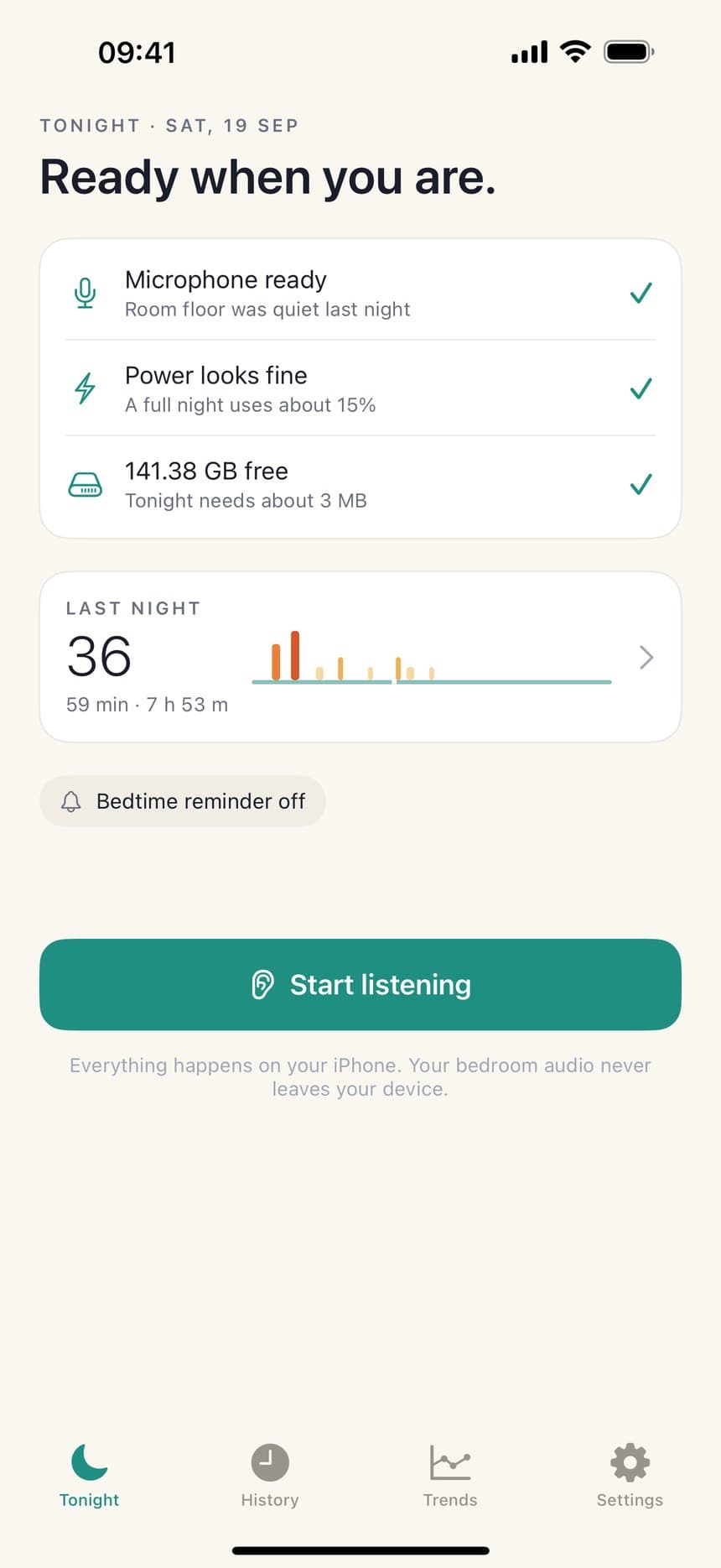
Phone on the nightstand, one to two metres from your head, screen down or propped, charger in. The Tonight screen checks the microphone, the power and the storage before you start.
- 2
Tap Start listening
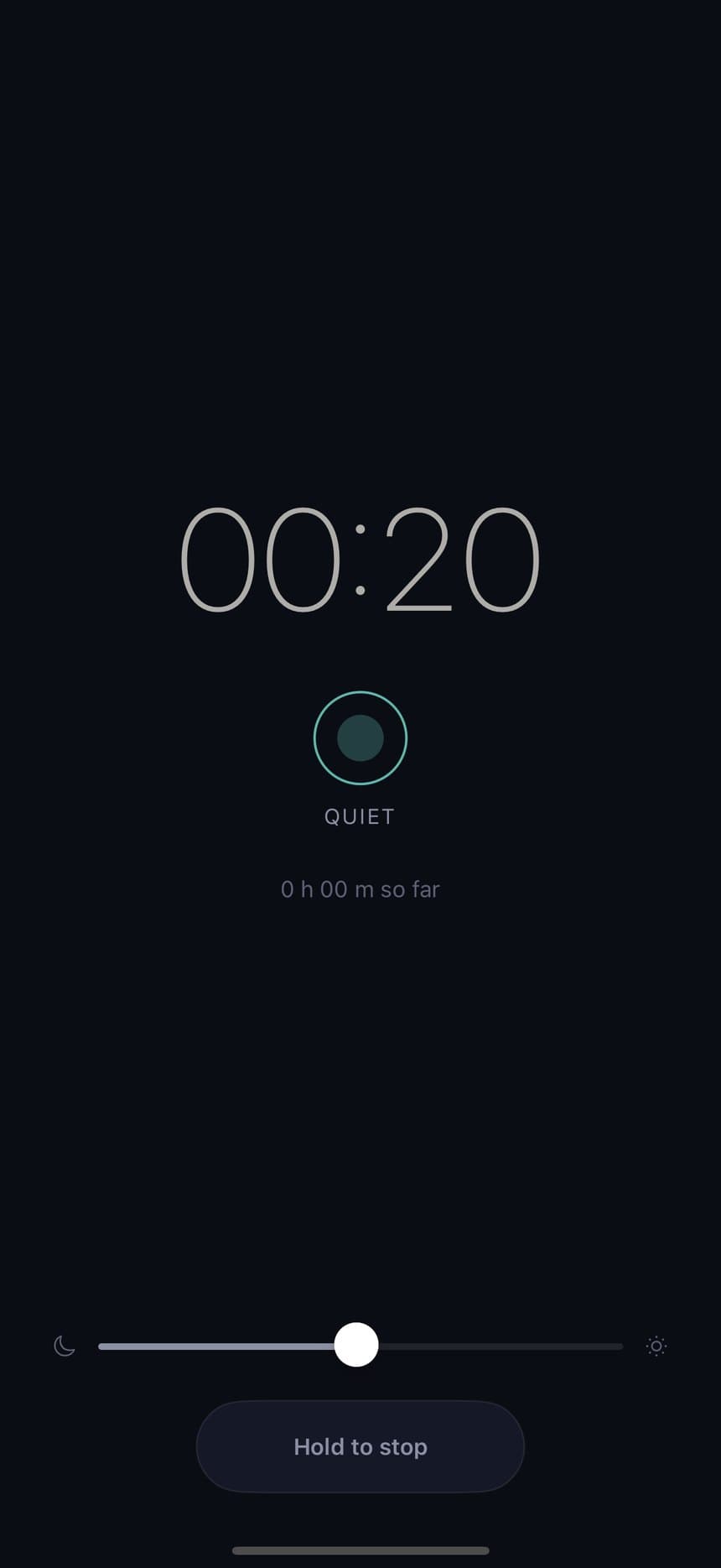
The bedside screen dims to near-black. Leave it there or lock the phone — either way it keeps listening.
- 3
It listens, on the phone
Audio is classified on-device in short windows. Snoring runs are assembled into events, and a short clip is kept around the loudest moments only.
- 4
Hold to stop
In the morning, press and hold the stop bar for a second, then release. The hold is deliberate so a night can't be ended by brushing the screen.
- 5
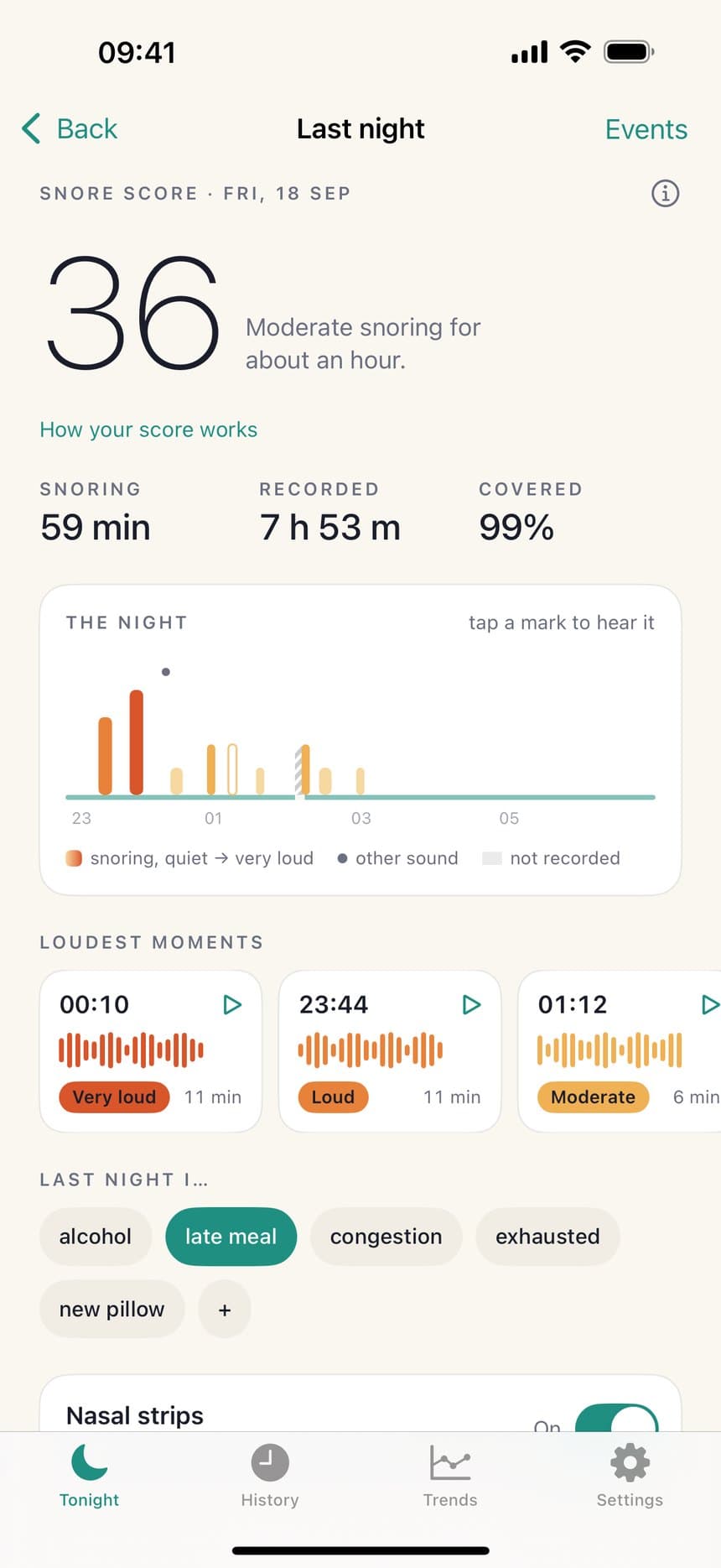
Read the night
A score, a timeline, and the loudest moments. Tap any mark to hear it.
- 6
Correct it
Anything that wasn't you leaves the score with one tap. Tag the night, note whether a remedy was on, and the trends build themselves.
How the score works
The Snore Score runs from 0 to 100 and is built from two numbers, both of which the app shows you. There is no hidden model weighting and nothing is inferred about your health.
Rate — 60 points
Confirmed snore minutes per hour recorded. Thirty minutes in an hour fills the bar completely.
Intensity — 40 points
How loud the snoring was compared with your own room’s quiet level, weighted by how long each stretch lasted, from Quiet to Very loud.
The formula, as printed inside the app
score = round(60 × rate + 40 × intensity)
Events you mark as not snoring are excluded before either number is calculated, so the score reflects the night you actually had. A session under three hours receives no score at all — the app says “Not enough data” rather than producing a number it cannot stand behind.
Correcting the record
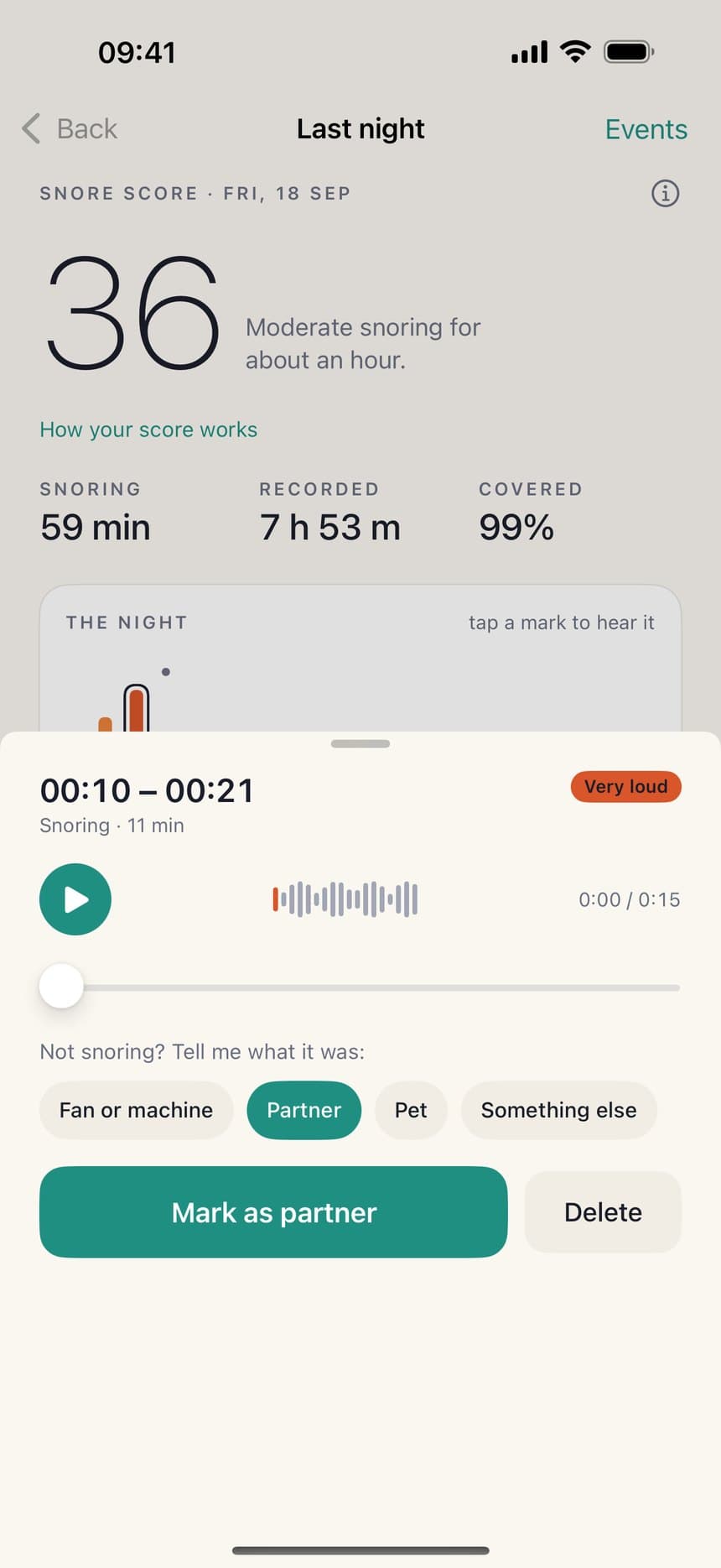
An on-device classifier can tell snoring from a cough. It cannot tell your snoring from the person beside you, and no app can — the sound reaches the microphone the same way. So the app asks you.
Tap any mark to hear the clip. If it was a fan, a partner, a pet or something else, say which, and that event leaves the score immediately. Dismissed marks fade to an outline rather than disappearing, so the record still shows what was heard and what you judged — and one tap puts it back.
There is also a range tool: pick a window of the night and attribute every snoring event inside it at once, for the nights when someone else was in the room the whole time.
What is kept, and what is thrown away
The full night is never stored. Audio is processed in short windows as it arrives, and only a brief clip around each of the loudest detected events is written to disk. Everything else is discarded as it passes.
| Free | Pro | |
|---|---|---|
| Nights kept | The last 7 | Every night, forever |
| Clips per night | The 5 loudest | Every clip |
| Clip retention | 7 days | 30, 90 or 365 days |
| Full-night audio | Never stored | Never stored |
Settings has a storage meter showing exactly how much the app is holding, a button to clear every saved clip while keeping the scores and events, and a button to delete everything.
Trends, remedies and the report
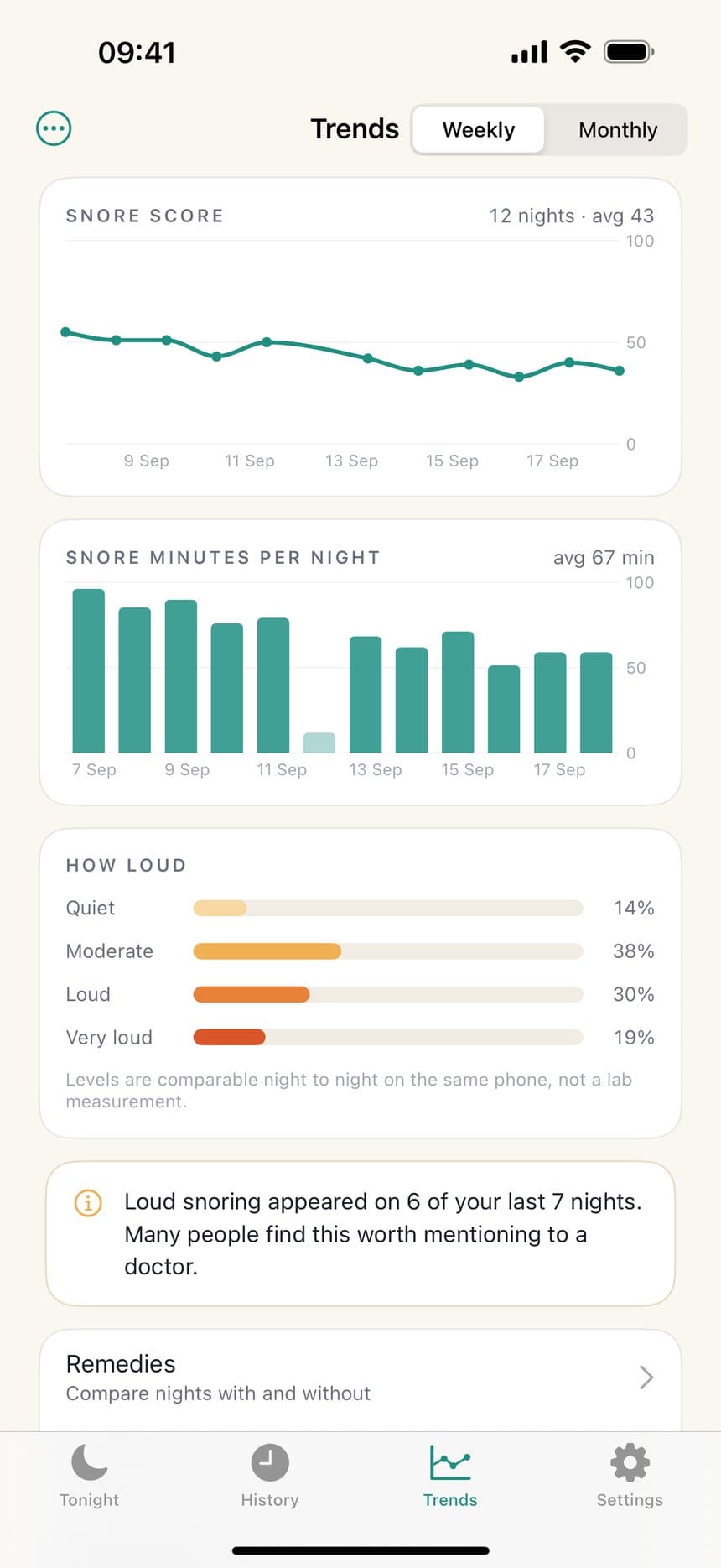
One night is a snapshot; a week is a picture. After three nights the Trends screen opens with score and snore minutes charted over time, weekly or monthly.
A remedy experiment is the honest version of “did that work?”. Name what you are trying — nasal strips, sleeping on your side, no alcohol after eight — and mark each morning whether it was in play. The app waits until there are at least three nights on each side before showing a comparison, and it presents plain averages with the night counts visible. It never tells you a remedy works. It shows you what your nights looked like with and without it, and lets you draw the conclusion.
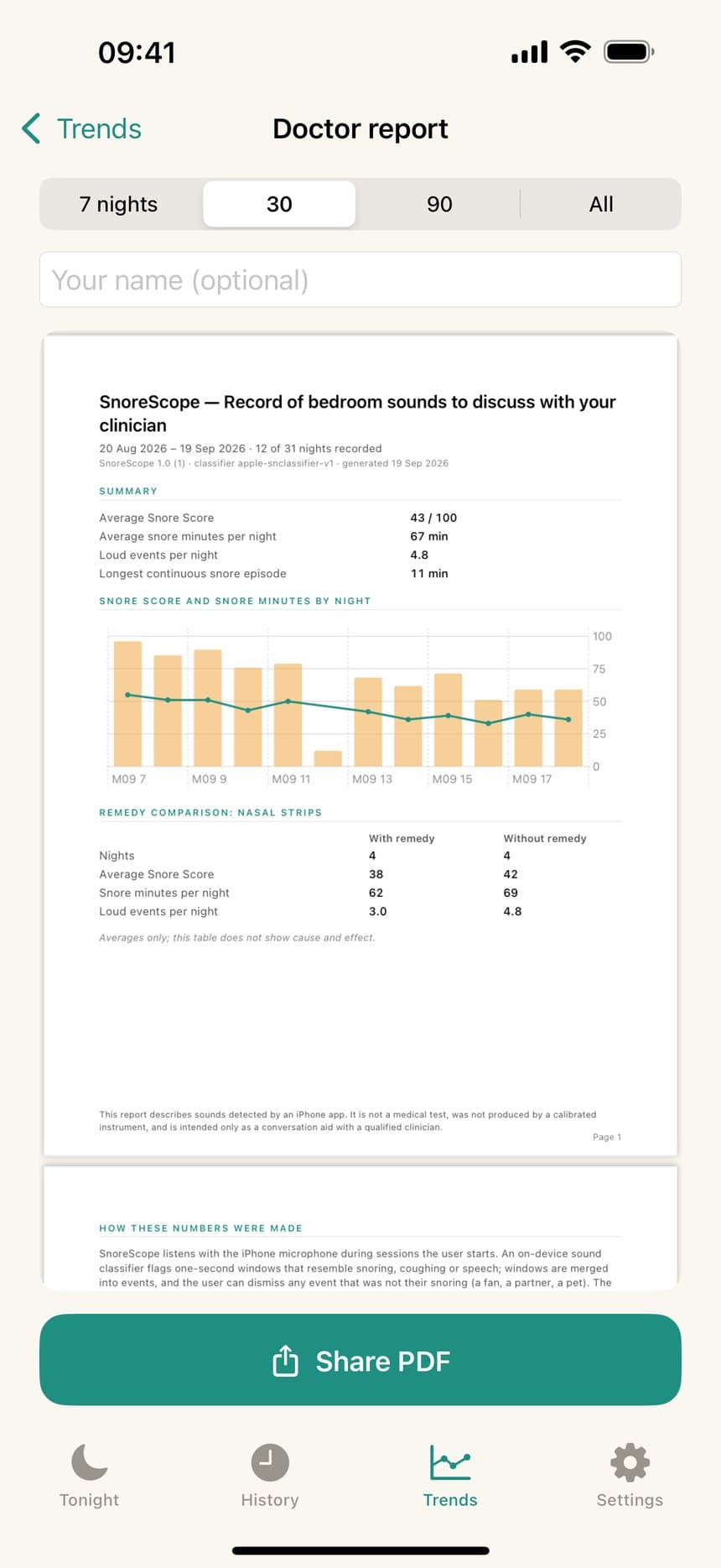
Factor tags work the same way for things you do not control as neatly: alcohol, a late meal, congestion, or tags you invent. The doctor report collects a week, a month or longer into a single page you can hand over or send — framed throughout as a record of sounds for a conversation, never as a test result.
Free and Pro
Recording is free every night and always will be, with no cap on consecutive nights and no trial that expires. The free tier is not a teaser — it is a usable snore recorder on its own.
Free, every night
Free
- Record every night, with no limit on consecutive nights
- The five loudest clips from each night
- Mark what wasn't you — the score recalculates
- Seven nights of history
- The mic check and bedside screen
SnoreScope Pro
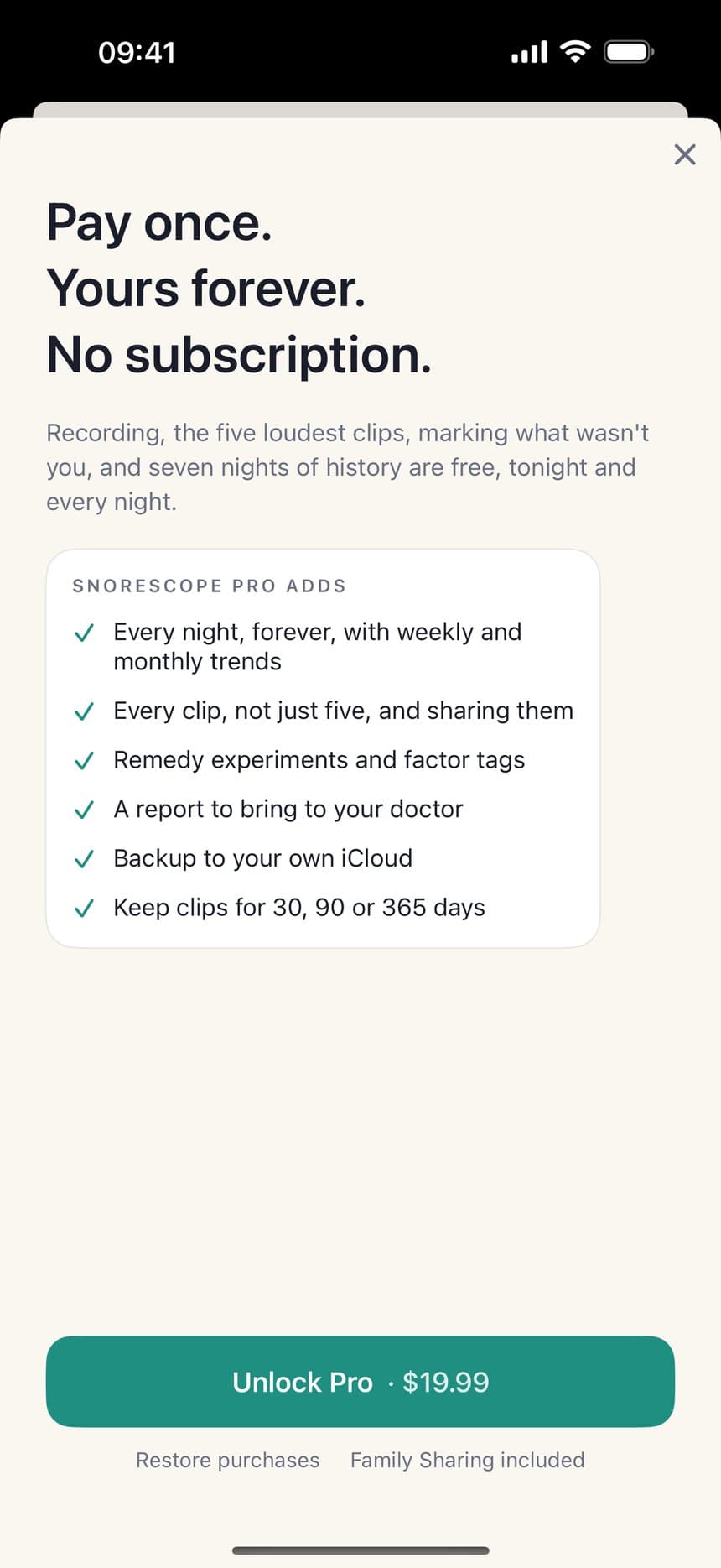
$19.99 once
One payment. No subscription. Family Sharing included.
- Every night kept, with weekly and monthly trends
- Every clip, not just five — and sharing them
- Remedy experiments with honest before-and-after averages
- Factor tags: alcohol, late meal, congestion, your own
- A one-page report to bring to a clinician
- Backup to your own iCloud
- Keep clips for 30, 90 or 365 days
Privacy
The microphone runs only during a session you start. Audio is analysed and stored on your iPhone using Apple's on-device sound classifier. Only short clips around detected events are kept — never the whole night.
- No analytics, no tracking, no third-party code of any kind.
- No network calls anywhere in the app. There is no server to send anything to.
- iCloud backup is optional, off by default, and goes to your iCloud — not ours.
- Delete the app and every night goes with it.
One thing worth saying out loud: recording in a shared room means recording another person. Laws on that vary by where you live, and the app says so during setup. If someone shares your room, having their okay is on you.
Limits
Stated before you pay rather than discovered afterwards. An app about honest recording that oversells itself would be a contradiction.
It cannot diagnose anything
SnoreScope reports sounds and patterns. It is not a medical device and cannot detect sleep apnea or any other condition. If you gasp or choke at night, stop breathing, or wake unrefreshed most days, talk to a doctor regardless of what this or any app shows.
It cannot tell who is snoring
Everything it shows describes sounds in your bedroom, not a person. That is precisely why you can mark a clip as someone else's and have it leave your score.
A white-noise machine will hide quiet snoring
A loud steady machine masks soft snoring, and measured against our test corpus recall drops to about 0.58 when one is running. The mic check tells you when it hears one before you sleep, and the record stays honest rather than guessing.
A short night gets no score
Sessions under three hours are recorded and shown, but no Snore Score is calculated. Two hours is not enough to say anything about a night.
Loudness is relative, not calibrated
Levels are comparable night to night on the same phone. A phone microphone is not a calibrated instrument and the app never pretends otherwise.
Questions
Do I have to leave the app open on screen?
No. Start the night and lock the phone — recording continues with the screen off. The one thing that stops it is force-quitting the app from the app switcher, because iOS only keeps background audio running for an app that is still running.
Will it drain my battery?
A full night uses roughly 15%, which is why the app checks for a charger before you start and says so on the readiness screen. Keep it plugged in.
What if the phone gets hot?
It falls back to recording loudness only, stops classifying sounds, and tells you that on the morning summary rather than quietly producing a worse night's data.
What happens if iOS closes the app overnight?
The morning screen says the recording ended early instead of presenting a partial night as a complete one.
Is my partner's snoring counted as mine?
Only until you say otherwise. Tap the clip, mark it as your partner, and it leaves your score for that night.
What languages does it speak?
English, Japanese, German, Simplified Chinese, Spanish, French, Brazilian Portuguese and Korean. The app follows your iPhone's language setting.
A night, drawn honestly
Free to record, every night.
SnoreScope reports sounds and patterns. It is not a medical device and cannot diagnose sleep apnea or any other condition. If you gasp or choke at night, stop breathing, or wake unrefreshed most days, talk to a doctor regardless of what this app shows.