Dental & Clinic Website Design
A calm, trustworthy clinic site where patients understand the treatment, meet the doctor and book a slot - without calling the front desk.
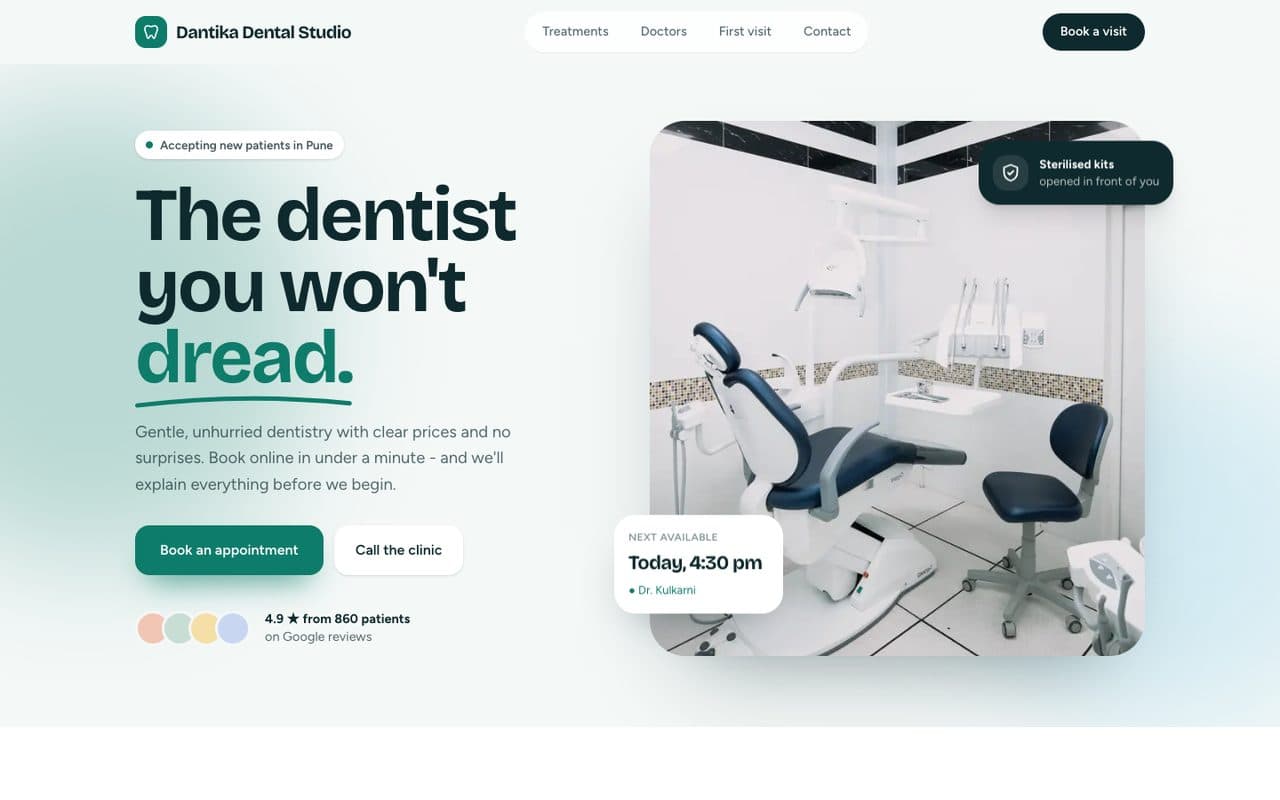
Dantika Dental Studio is a fictional business. We adapt the language, payments and details to wherever you work.
Patients choosing a clinic are often anxious, and they judge trust in seconds: who is the doctor, what will happen, and can I get an appointment this week? This template answers all three. Treatments are explained in plain language, doctors have real profiles with qualifications, and the booking flow walks patients from treatment to time slot in four short steps. Your front desk gets fewer calls and better-prepared patients.
Try each of these in the demo.
Book in four steps
Treatment, doctor, day, time. Patients see real open slots; you confirm by SMS or WhatsApp.
Treatments, explained
Plain-language pages for each treatment - what happens, how long it takes, aftercare.
Doctors people trust
Profiles with qualifications, registration numbers and languages spoken.
Local search ready
Medical clinic schema and location pages so you rank for “dentist near me”.
A complete site, built for you.
Designed around your brand and photos, written with you, fast on any phone, and yours to own.
- ✓Home
- ✓Treatments
- ✓Book appointment
- ✓Our doctors
- ✓Clinic tour
- ✓Patient reviews
- ✓Contact & directions
- ✓Appointment calendar sync
- ✓SMS & WhatsApp reminders
- ✓Google Maps & reviews
- ✓Online payments
- ✓Search-ready structure & schema
- ✓Analytics from day one
What every dental clinic website needs
People rarely look forward to the dentist, so a clinic website has to do something unusual: make booking feel easy and make the clinic feel safe before anyone walks in. These are the pieces that do that.
- 01
Online booking with real availability
Many patients put off booking because it means a phone call during working hours. Showing real open slots - by treatment and dentist - lets them book the moment they decide, often in the evening. Your front desk confirms, rather than chasing.
- 02
Treatment pages in plain language
Patients search for the treatment, not the clinic: 'root canal', 'clear aligners', 'teeth whitening'. A clear page for each, explaining what happens, how long it takes and what recovery looks like, answers their worries and helps you rank for those searches.
- 03
Dentists with faces and credentials
Trust starts with knowing who will treat you. Profiles with photos, qualifications, registration details and languages spoken make the clinic feel personal and professional at the same time.
- 04
Signals of safety and hygiene
Sterilisation practice, modern equipment and a calm environment are major worries for anxious patients. Showing them plainly, without medical jargon, reassures people who are on the fence.
- 05
Reminders that reduce no-shows
Automatic reminders the day before an appointment cut missed visits noticeably. The site can send them by email, SMS or a messaging app, so your team doesn't have to.
- 06
Location and access made obvious
Parking, floor, lift access, nearby landmarks and hours sit on every page and in structured data, so patients find you and Google shows correct details in Maps.
Mistakes we design out.
Stock photos of perfect smiles
Patients can tell. Real photos of your rooms and team build far more trust than generic imagery.
Prices hidden behind 'call us'
If you can share starting prices or ranges for routine treatments, patients book with more confidence. We design space for it.
Collecting more data than needed
A booking form needs a name, contact details and a reason for the visit - not a medical history. Less data is safer and converts better.
What you'll need to send us.
Nothing needs to be perfect. Send what you have and we'll help shape the rest.
- ✓A list of treatments you offer and want to promote
- ✓Dentist names, qualifications and photos
- ✓Clinic hours, address and parking details
- ✓Your preferred booking flow and how you confirm appointments
- ✓Photos of the clinic (or we arrange a shoot)
- ✓Any patient reviews you're happy to feature
Questions, answered.
Can it connect to our existing appointment system?
Often, yes. If your practice software has an API or calendar sync we connect to it; otherwise bookings arrive as requests your front desk confirms.
Is patient information kept private?
The booking form collects only what's needed, is sent over HTTPS, and isn't stored on third-party marketing tools. We can host data in India.
Can patients get reminders?
Yes. SMS or WhatsApp reminders the day before reduce no-shows significantly.
Can each treatment have its own page?
Yes, and we recommend it. Separate treatment pages answer specific patient questions and give Google a clear page to rank for each search, like 'dental implants' or 'kids dentist'.
Can patients book with a specific dentist?
Yes. Patients can choose a dentist or take the first available slot, and they only see that dentist's open times.
How long does it take?
Usually three to five weeks, including writing the treatment pages with your doctors.
Further reading: what a small business website needs, by industry →