Photographer Portfolio Website Design
Your work at full size, packages people understand, and a date check that turns admiration into a booking.
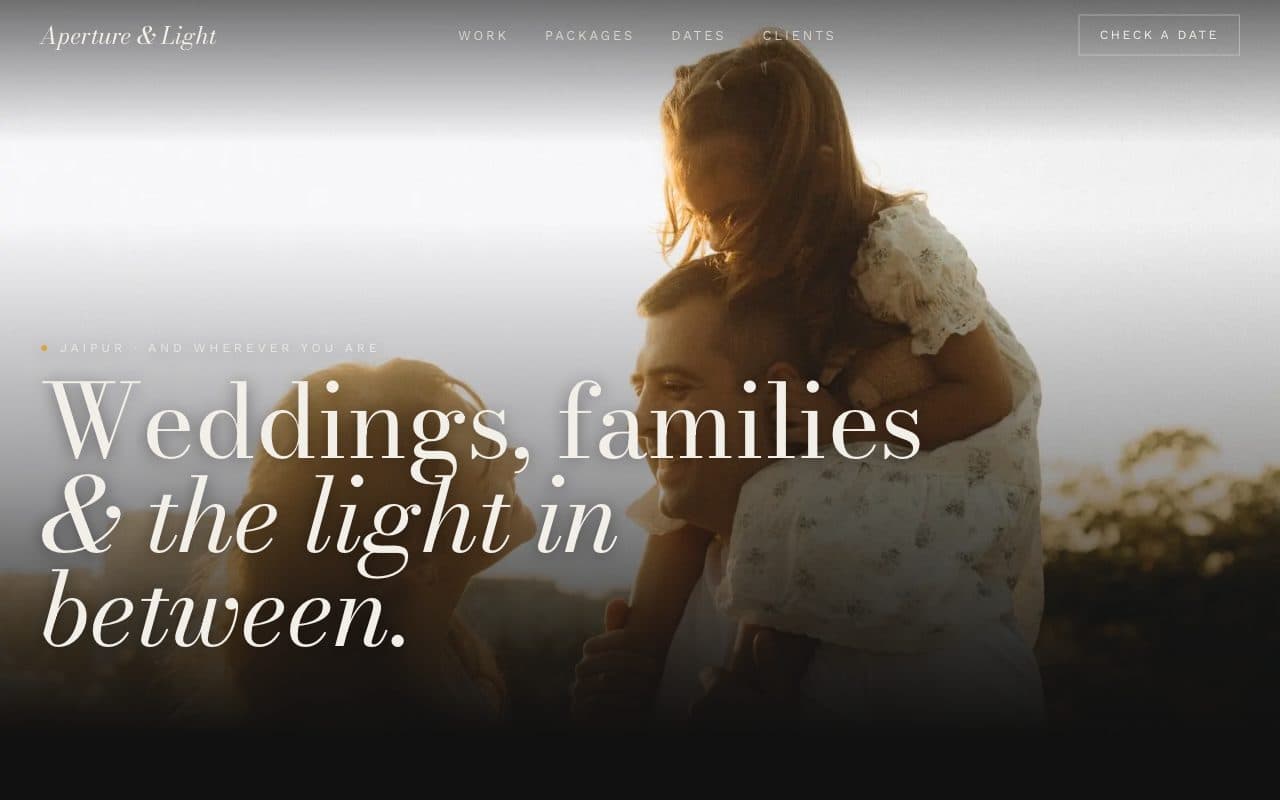
Aperture & Light is a fictional business. We adapt the language, payments and details to wherever you work.
Photography clients decide with their eyes and book with their calendar. This template gives your best work the whole screen, groups it by the kind of shoot people are planning, and then answers the practical questions straight away: what each package includes, whether you're free on their date, and how to hold it. After the shoot, clients get a private gallery to view, favourite and download their photos.
Try each of these in the demo.
Work at full size
A portfolio that fills the screen and loads fast, grouped by weddings, families, portraits and more.
Check a date instantly
Clients pick their date and see whether it's open before they write to you.
Packages, not guesswork
Hours, edited photos, albums and turnaround laid out side by side.
Private client galleries
Each client gets a password-protected gallery to favourite and download their photos.
A complete site, built for you.
Designed around your brand and photos, written with you, fast on any phone, and yours to own.
- ✓Home
- ✓Portfolio
- ✓Packages
- ✓Check a date
- ✓About
- ✓Client galleries
- ✓Contact
- ✓Date availability & holds
- ✓Deposits online
- ✓Private client galleries
- ✓Instagram feed
- ✓Search-ready structure & schema
- ✓Analytics from day one
What every photographer website needs
A photographer's site has to do two very different jobs: make people feel something, and then make booking feel easy. Most portfolios do the first and stumble on the second.
- 01
A fast, full-screen portfolio
Large images that load quickly on a phone, using modern formats and responsive sizes. Slow galleries lose visitors before they've seen your best work.
- 02
Work grouped by what clients are planning
Weddings, families, maternity, portraits, products. People look for proof you've done their kind of shoot, so galleries are organised the way they search.
- 03
Packages explained clearly
Hours of coverage, number of edited photos, albums, travel and turnaround time, side by side. Clarity filters out mismatched enquiries and speeds up the good ones.
- 04
Date availability up front
For weddings and events, the date is the first question. Letting clients check it themselves saves a round of emails and captures enquiries while they're excited.
- 05
Private client galleries
Password-protected galleries for each shoot, where clients can favourite, download and share. It's the part of your service clients see most after the shoot.
- 06
An about page with a real face
Clients are inviting you into important moments. A genuine photo and a few honest lines about how you work build the trust that closes bookings.
Mistakes we design out.
Uncompressed images
Huge files make galleries crawl on mobile data. Images are served at the right size and format for each screen.
Hiding packages behind an enquiry form
Many clients won't enquire without a rough idea of what's included. Packages are shown clearly.
Showing everything you've ever shot
Too many images dilute the best ones. We help you curate a tight portfolio for each category.
What you'll need to send us.
Nothing needs to be perfect. Send what you have and we'll help shape the rest.
- ✓Your best 20-40 images per category
- ✓Package details: hours, photos, albums, turnaround
- ✓Dates you're already booked
- ✓A photo of you and a short bio
- ✓Your deposit and booking terms
- ✓Client testimonials
Pair it with Cull, our iPhone app for this industry.
Do the first pass on a shoot in minutes - on-device, private, free.
Questions, answered.
Can clients check if I'm free on their date?
Yes. Clients pick a date and see whether it's open, then hold it with a deposit or send an enquiry.
Will my photos load fast?
Yes. Images are resized and compressed for each screen and served in modern formats, so galleries stay quick on a phone.
Can I deliver photos to clients through the site?
Yes. Each client gets a private, password-protected gallery to view, favourite and download their photos.
Can I update my portfolio myself?
Yes. Add or reorder images in each category without touching code.
Can it show my Instagram?
Yes. A feed of your latest posts can sit alongside the curated portfolio.
How long does it take?
Usually three to four weeks.
Further reading: what a small business website needs, by industry →