Real Estate & Builder Website Design
A project site as premium as the homes you're selling - filterable listings, clear specifications and site visits booked online.
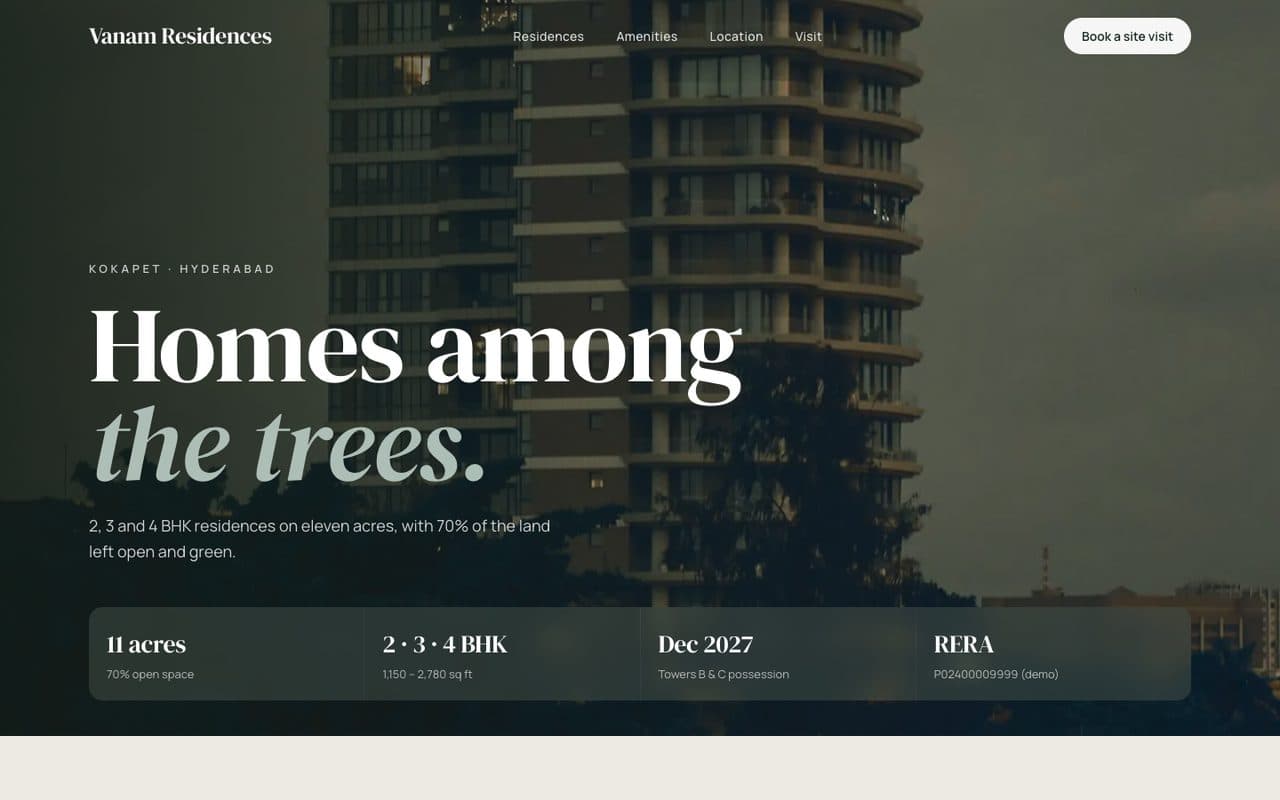
Vanam Residences is a fictional business. We adapt the language, payments and details to wherever you work.
Buyers shortlist homes online long before they visit. A builder or agent site that looks dated or hides the configuration and status loses them to the next tab. This template is built to feel premium and answer buyers quickly: filter by configuration, budget and status, see the key numbers on every card, and book a site visit with the project already selected.
Try each of these in the demo.
Listings that filter
Filter by bedrooms, budget and status (ready / under construction) - instantly, on any phone.
The numbers buyers want
Carpet area, floor, facing, possession date and registration number on every listing.
Site visits booked online
Pick a day and slot; your sales team gets the lead with the project and unit already chosen.
Project pages that rank
Each project gets its own fast page with location, amenities and structured data.
A complete site, built for you.
Designed around your brand and photos, written with you, fast on any phone, and yours to own.
- ✓Home
- ✓Projects
- ✓Listings
- ✓Project detail & floor plans
- ✓Amenities
- ✓Book a site visit
- ✓Contact
- ✓Lead CRM
- ✓WhatsApp chat
- ✓Google Maps location
- ✓Brochure downloads
- ✓Search-ready structure & schema
- ✓Analytics from day one
What every real estate website needs
Property buyers research for weeks before they visit, often late at night and mostly on their phones. A builder or agent website wins by giving them the facts they're looking for faster than anyone else, then making a visit easy to book.
- 01
Listings that filter instantly
Buyers narrow down by bedrooms, budget, location and whether a home is ready or under construction. Fast filters that work smoothly on a phone keep them exploring your projects instead of leaving for a portal.
- 02
The numbers buyers actually compare
Carpet area, floor, facing, possession date, price and registration details on every listing. Hiding them behind a call-back form loses serious buyers to sites that show them.
- 03
Floor plans and real photos
Floor plans and true photographs of sample flats, amenities and the view help buyers picture living there. They also cut down on visits from people who were never a fit.
- 04
Site visits booked online
A short form to choose a day and time, with the project and unit already selected, turns interest into a scheduled visit. Your sales team gets a warm lead, not a cold enquiry.
- 05
A page for every project
Each project gets its own fast page with location, amenities, progress updates and structured data, so it can rank for the project name and the neighbourhood.
- 06
Location context
Travel times to offices, schools, hospitals and transport answer the questions every buyer asks. A clear map and distance list does that at a glance.
Mistakes we design out.
Brochures only as PDF downloads
PDFs aren't searchable and are painful on phones. We put the brochure content on the page and offer the PDF as an extra.
Forcing a phone number before showing prices
Buyers who can't see a price range often leave. Showing ranges builds trust and qualifies leads.
Outdated availability
Showing sold units frustrates buyers. Availability is easy to update so listings stay accurate.
What you'll need to send us.
Nothing needs to be perfect. Send what you have and we'll help shape the rest.
- ✓Project details, unit types and price ranges
- ✓Floor plans and photos or renders
- ✓Amenities and location highlights
- ✓Registration and approval details
- ✓Possession timelines and construction updates
- ✓Where site visit requests should go
Questions, answered.
Can we update listings ourselves?
Yes. Units, prices, status and photos are managed from a dashboard - mark a unit sold and it updates everywhere.
Where do site visit requests go?
To your sales team by email or WhatsApp, or straight into your CRM, with the project and unit attached.
Can it show registration and licence details?
Yes. Registration numbers and links are shown on every project and listing.
Can buyers download floor plans and brochures?
Yes. Floor plans and brochures can be downloaded from each project page, and you can choose whether to ask for contact details first.
Can we add new projects later?
Yes. New projects and units are added from a dashboard and get their own pages automatically.
How long does it take?
Three to five weeks for a builder site like the demo, depending on the number of projects.
Further reading: what a small business website needs, by industry →