 LIVE
LIVEFormSign
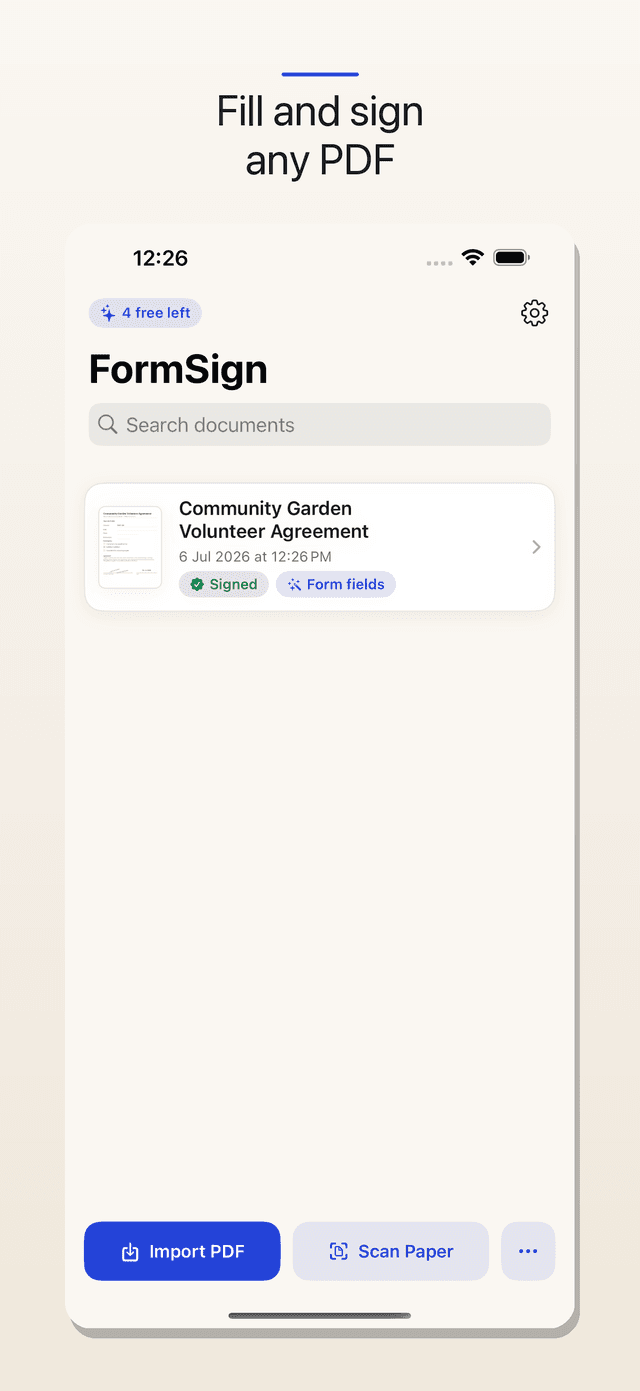
Fill and sign any PDF on your phone — private, pay once.
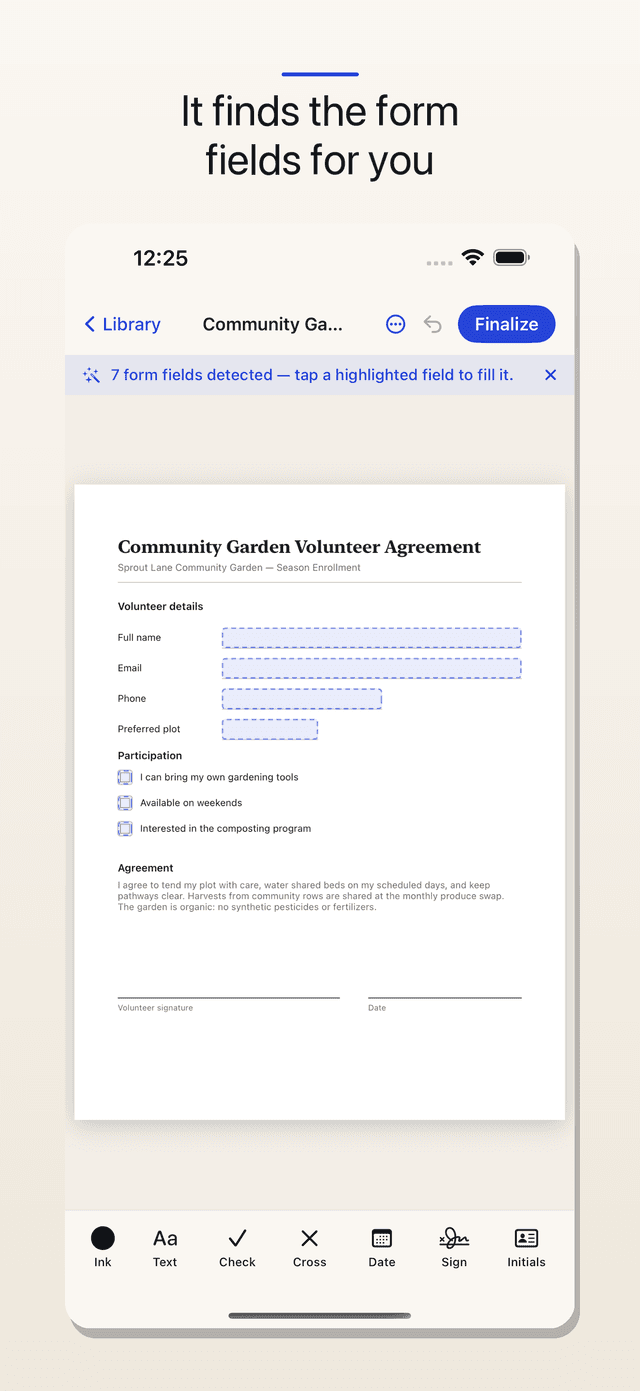
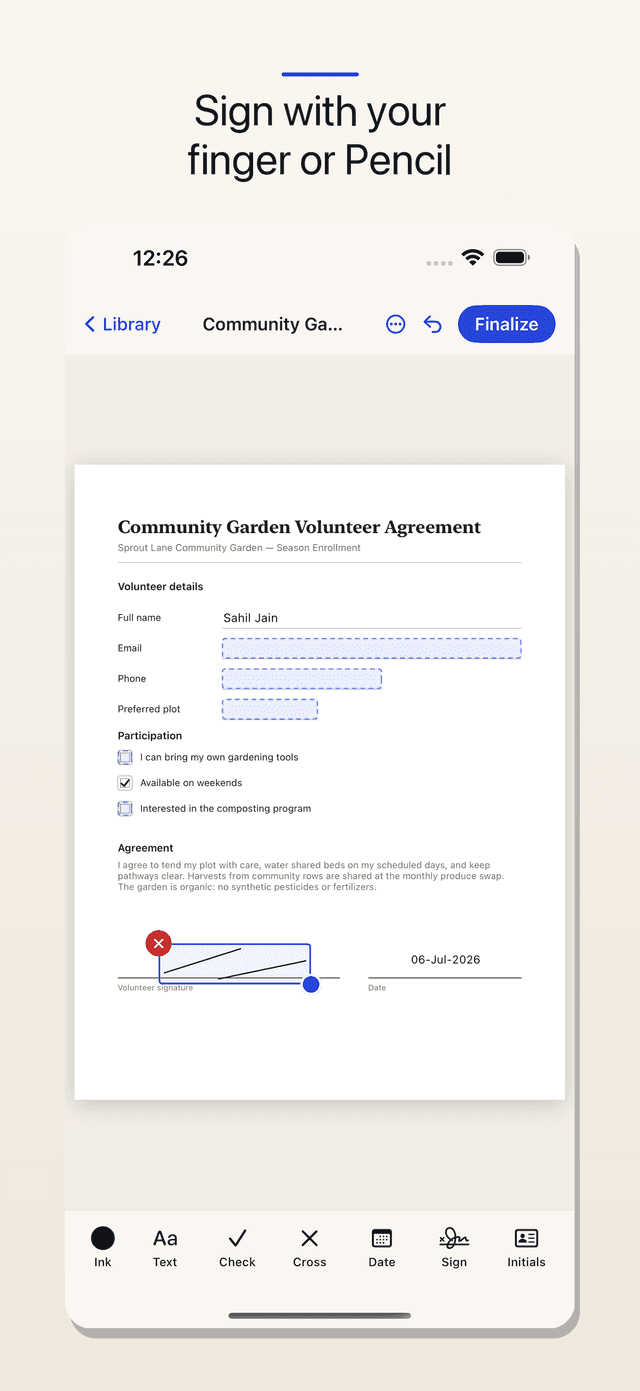
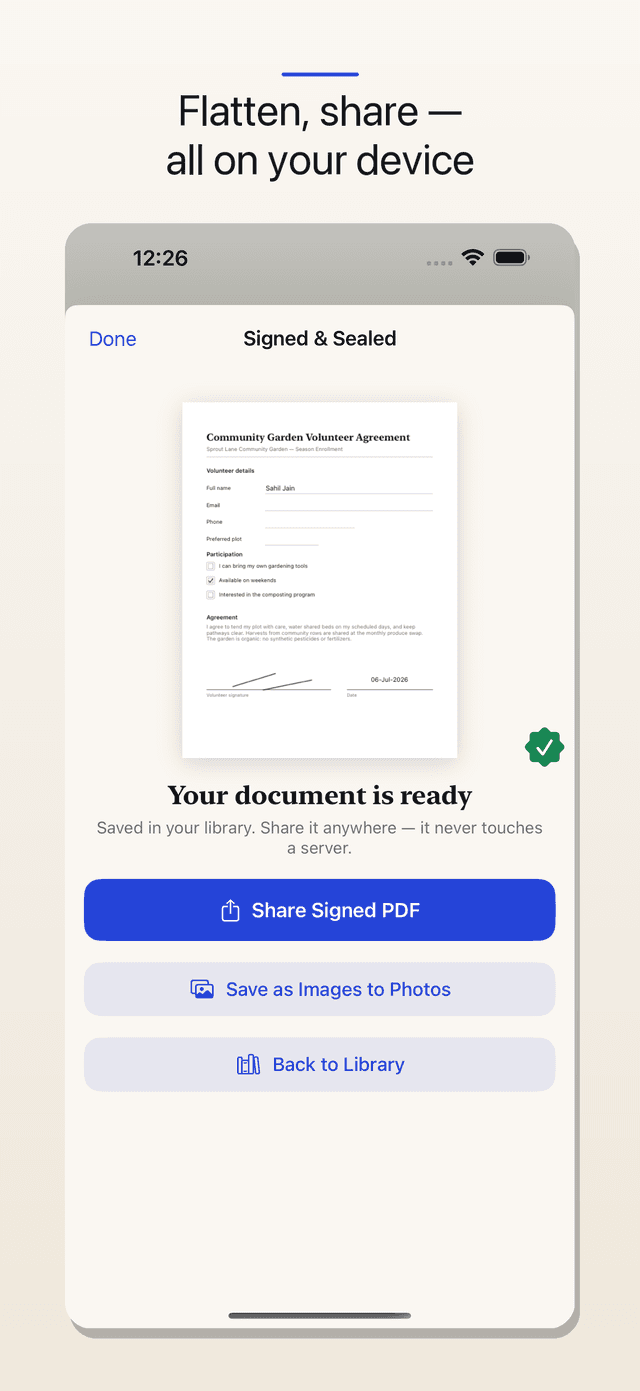
FormSign is built for the moment a real form lands in your inbox and needs to go back signed today. Import a PDF or scan a paper form, and FormSign detects real form fields so you can just tap and type - or tap anywhere on a flat scan to add text, checkmarks, dates and initials. Sign by drawing with a finger or Apple Pencil, or type your name in a handwriting font, and save it for one-tap reuse. Save 'Your Info' once and fill future forms in a tap. When you're done, FormSign flattens everything permanently into the PDF - no editable layers - and lets you share it or save it to Photos. Nothing is ever uploaded: there is no cloud to route your lease or medical form through, because there shouldn't be. Your first five documents are free with every feature included; a single one-time purchase unlocks unlimited, forever.
Everything FormSign does well.
Auto form-field detection
Real PDF fields become tappable instantly; flat scans get tap-to-place text, checks and dates.
Sign your way
Draw with a finger or Apple Pencil, or type it - saved for one-tap reuse on every document.
Flatten & share
Entries and signature burned in permanently, then shared or saved as images - all on-device.
Private by design
Documents never leave your device. No servers, no account, nothing collected.
Signing a lease or a school form is occasional and high-stakes, yet the tools for it bill like enterprise software - a monthly subscription that routes your private documents through someone else's cloud. A phone can fill and sign a PDF entirely on its own. So we built a pay-once, fully on-device fill-and-sign app: no account, no cloud, no meter.
See it in action.
Simple, honest pricing.
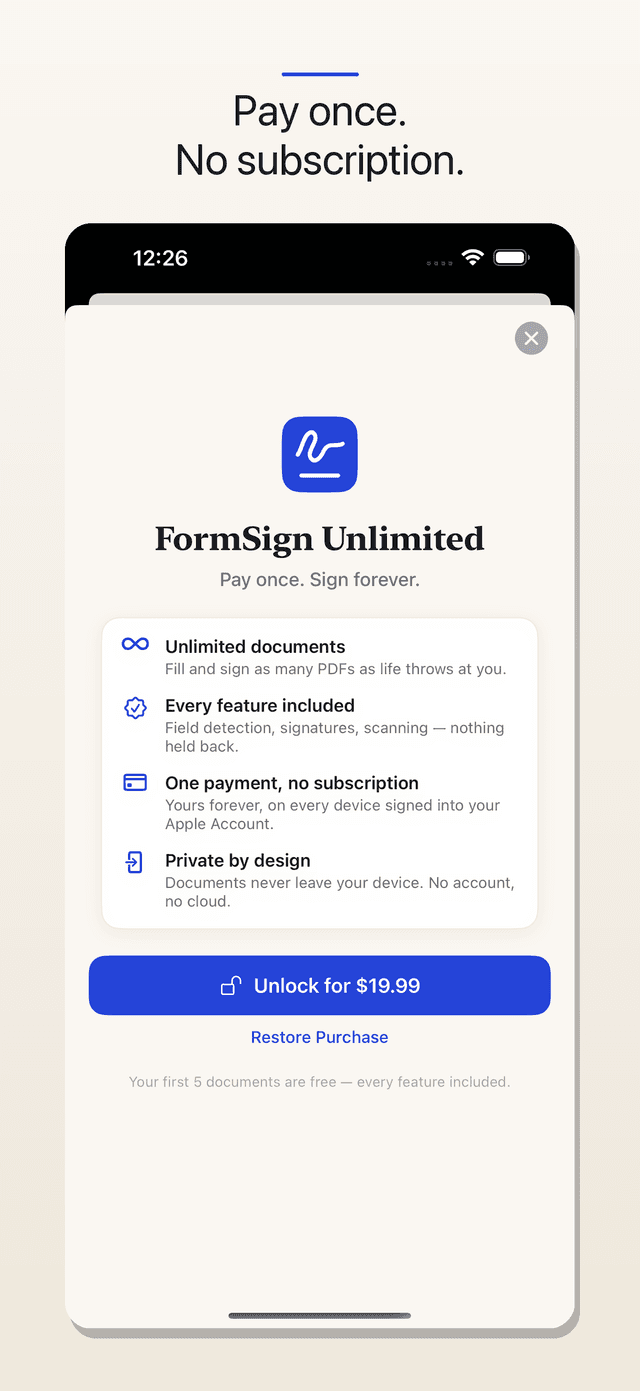
Free - $19.99 one-time unlock, no subscription
Good to know.
Do my documents get uploaded?
Never. FormSign has no servers and no account - filling, signing and sharing all happen on your device. You can confirm it in airplane mode.
Is there a subscription?
No. Your first five documents are free with every feature; a single one-time $19.99 purchase unlocks unlimited documents, forever.
Is this a certified e-signature?
FormSign applies a visual signature mark, which is broadly accepted for everyday agreements. For certified or notarized e-signatures, use a certified service. This isn't legal advice.
Ashvara designed and built FormSign end to end.
We build native iOS apps like this one - from first sketch to the App Store. If you have a product in mind, we can ship it.