 IN THE STUDIO
Cabin
Glanceable widgets for your car screen - pay once, no subscription.
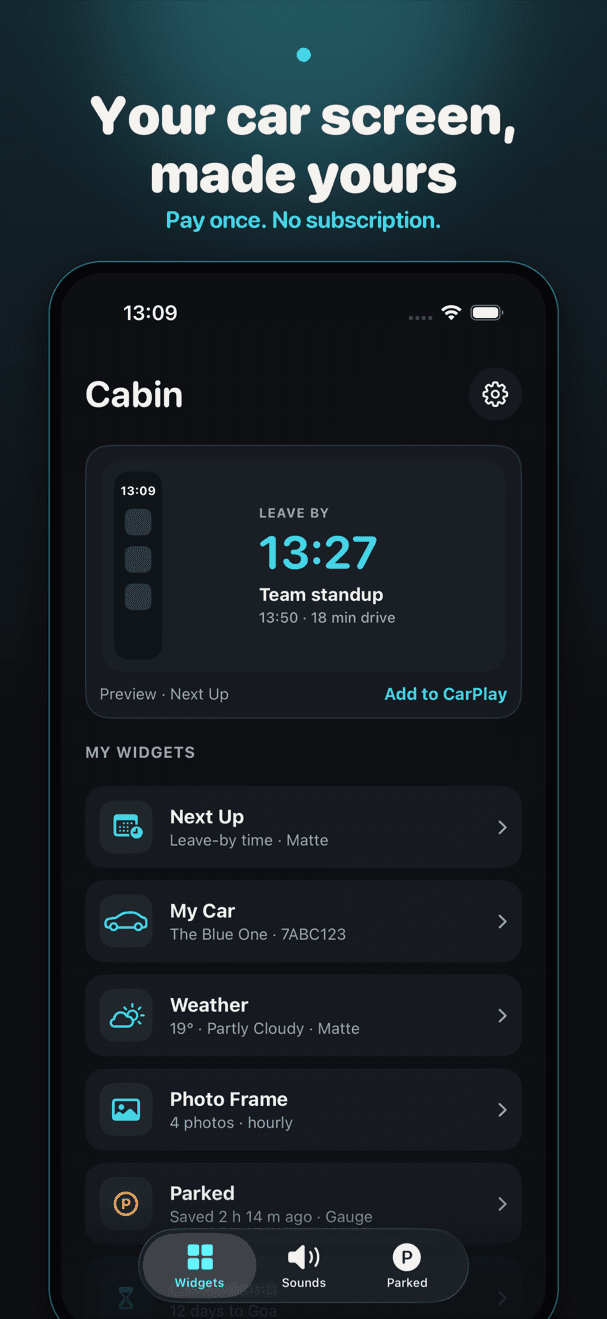
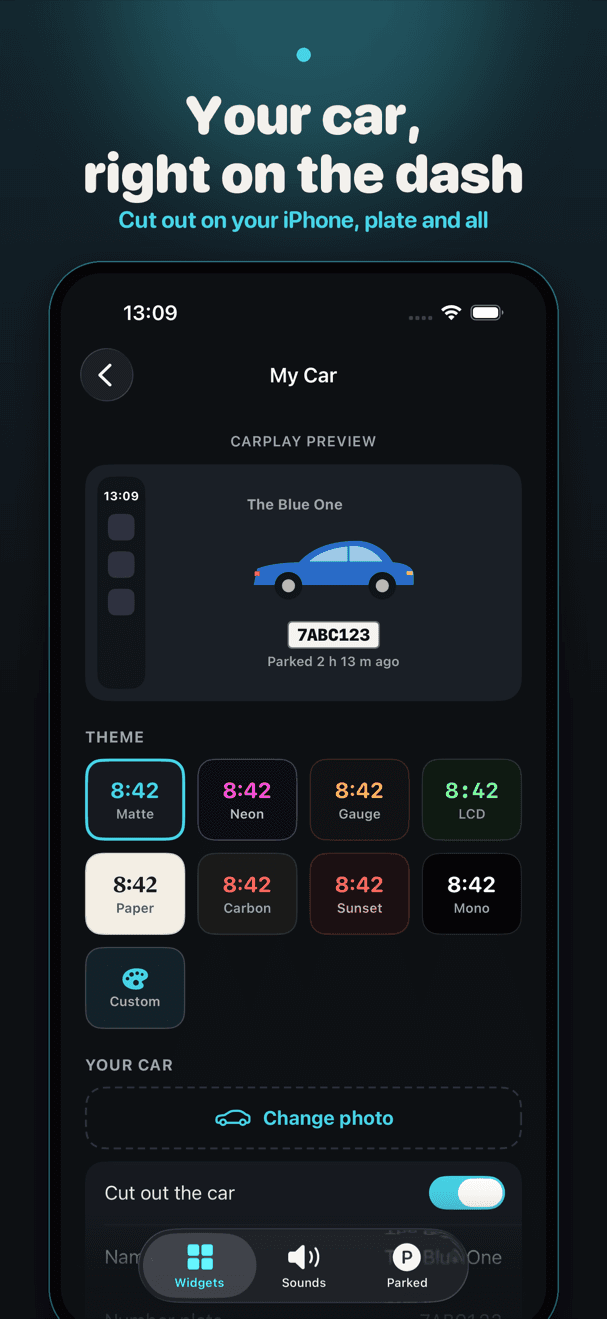
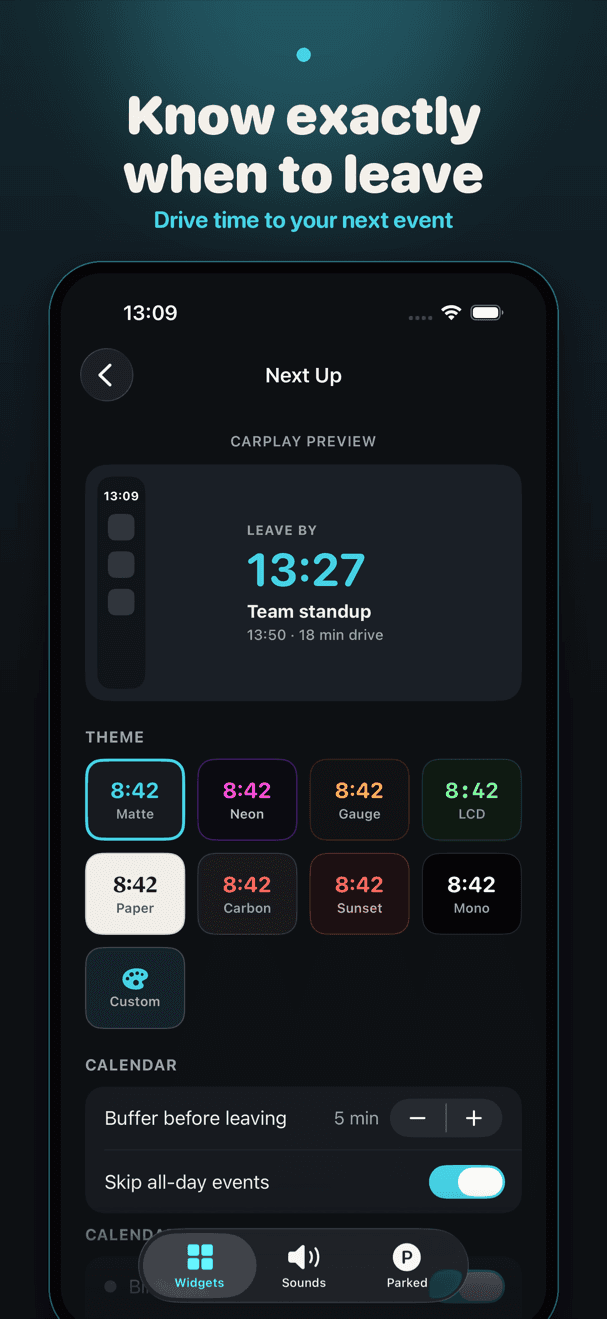
iOS 26 puts widgets on the CarPlay dashboard, and Cabin fills that page with things worth a glance. My Car puts a cut-out photo of your own car, with its number plate, on the dash. Next Up reads your calendar on your phone and shows when to leave, using a drive-time estimate made on your device. Parked saves where you left the car the moment CarPlay disconnects, with a note for the level and pillar and walking directions back. Photo Frame rotates the photos you pick, Countdown shows the days to a trip or a birthday, Greeting says hello with the date and today's sunset, and Clock keeps the time big and clear. Choose one of eight themes per widget, from Matte to Retro LCD, and pick a welcome sound, or record your own, to play when your phone connects. Everything is set up in a minute and works on your Home Screen and in StandBy too. There is no account, no server and no tracking.
Everything Cabin does well.
When to leave
Your next event and the time to set off, with drive time estimated on your phone.
Where you parked
Saved when CarPlay disconnects, with a note and directions back.
Your car, on the dash
A photo of your own car, cut out on device, with your number plate.
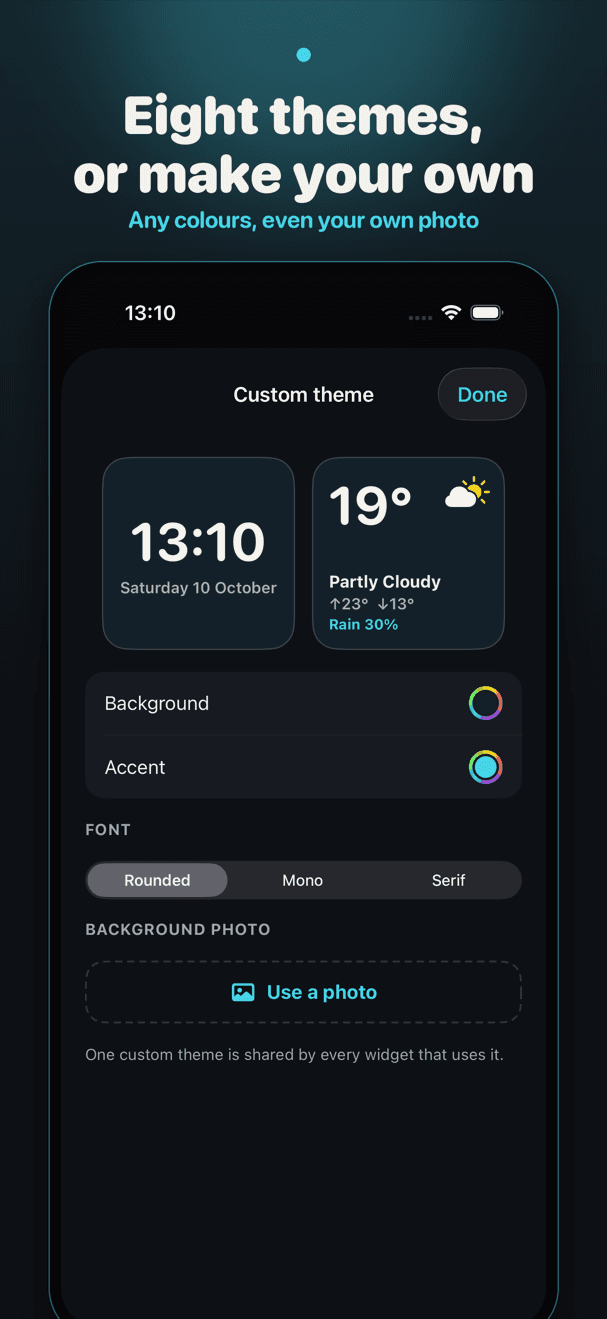
Eight themes, or your own
Matte to Retro LCD, or build one from any colours and your own photo.
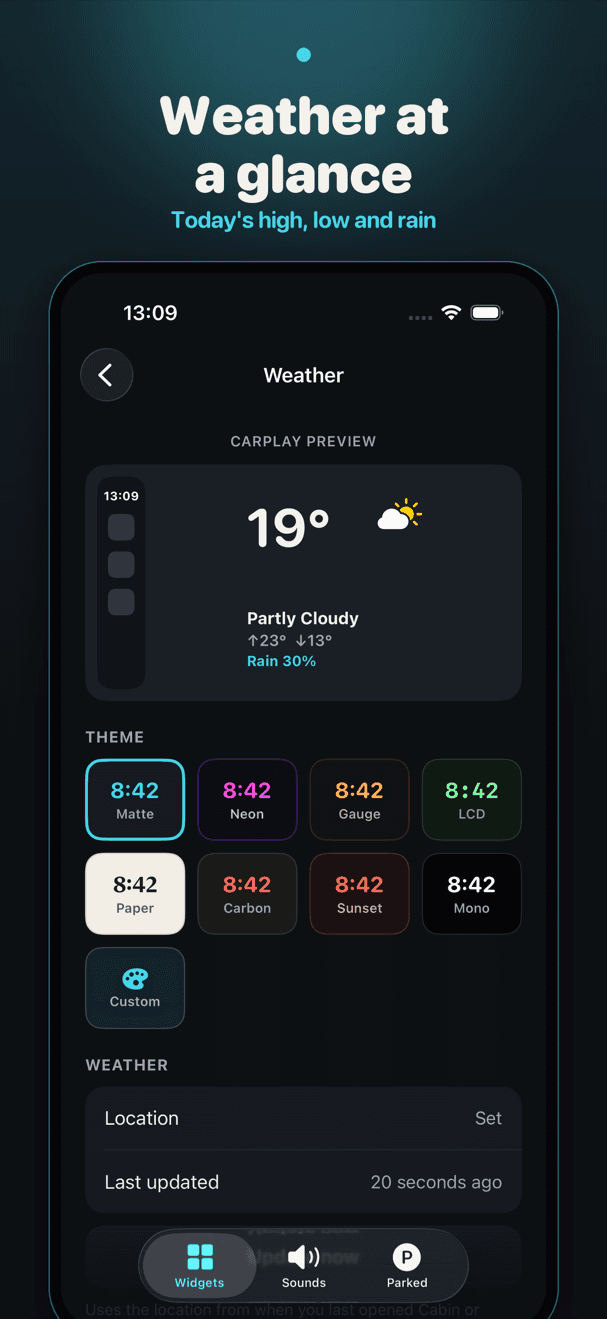
Weather at a glance
Temperature, high and low, and the chance of rain, from Apple Weather.
A welcome sound
Twenty original sounds, from soft chimes to warp drive, or record your own.
Nothing leaves your phone
No account, no server, no tracking. Your calendar and photos stay on device.
The car-widget apps that sell best offer decoration and a weekly subscription. We wanted the dashboard page to be useful at a glance: when to leave, where the car is, what's next. Built on the real CarPlay widget rules, for one fair price.
See it in action.
Simple, honest pricing.
Free to start - Cabin Pro $9.99 one-time, no subscription
Good to know.
Does my car need anything special?
Any car with CarPlay and an iPhone on iOS 26 or later. CarPlay shows widgets on the page to the left of the dashboard. Add them in Settings › General › CarPlay on your iPhone; Cabin walks you through it.
Is there a subscription?
No. Parked, Weather, Greeting, Clock, the Matte theme and a welcome sound are free. Cabin Pro is one $9.99 purchase for Next Up, My Car, Photo Frame, Countdown, every theme, your own custom theme and every sound. Family Sharing is included.
How does the welcome sound play?
Through a Shortcuts automation that runs when CarPlay connects, which iOS asks you to switch on once. Cabin shows you the three taps.
Does it work without CarPlay?
Yes. Every widget works on your Home Screen and in StandBy.
Ashvara designed and built Cabin end to end.
We build native iOS apps like this one - from first sketch to the App Store. If you have a product in mind, we can ship it.